Scenes & layers
Mix cameras, iPhone, screen, video, image, text, clock and HTML on one canvas.
 CamForge
●CAMFORGE / STUDIO FOR MAC
Compose scenes, present, record and broadcast from one virtual-camera studio made for macOS.
One purchase. The whole app. No subscriptions.
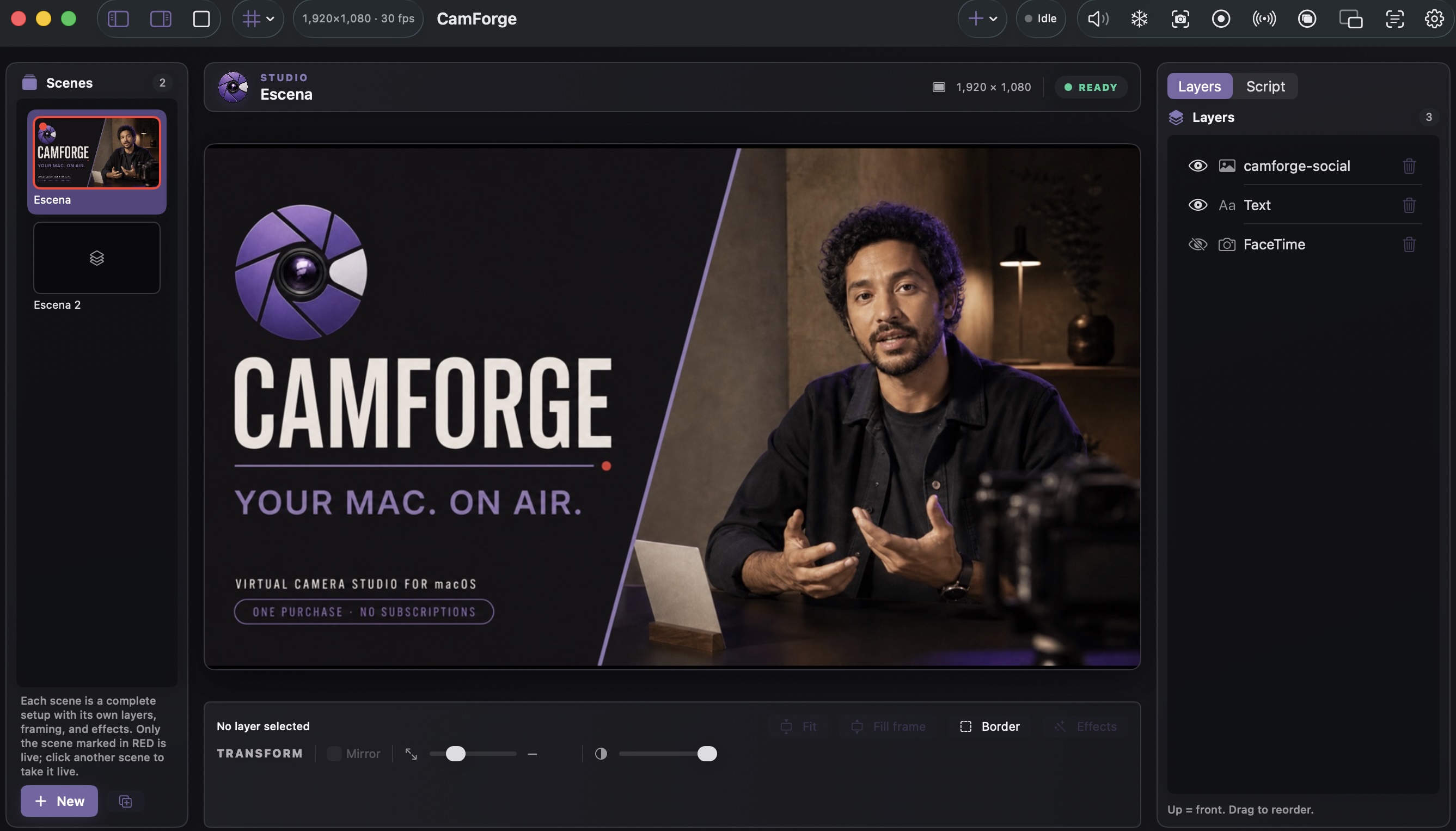 ACTUAL PRODUCT01 / SCENES02 / LIVE CANVAS03 / LAYERS
CamForge brings canvas, signal and control together, giving a video call, class or broadcast a visual point of view without turning your desk into a technical booth.
02 — SIGNAL PATH
What you build in CamForge appears as a camera in compatible apps on your Mac.
Mix cameras, iPhone, screen, video, image, text, clock and HTML on one canvas.
Send 720p or 1080p through the native macOS camera extension.
Teleprompter, voice follow, cues and presenter panel keep the story moving.
Mix microphone and media, monitor routes and read levels before going live.
Shortcuts, MIDI, gestures and phone remote put scene changes within reach.
Capture MOV and PNG or broadcast over RTMP/RTMPS from the same project.
03 — CUE TO AIR
No accounts, mandatory clouds or puzzle of helper apps.
Add sources, arrange them in layers and save scenes for every moment.
Read the script, prepare cues and assign shortcuts or MIDI controls.
Choose CamForge in your app, record locally or connect your RTMP destination.
CamForge publishes itself as a system camera, so it appears in the camera picker of any app.
and any other app that accepts a webcam
●ONE PURCHASE, NOT ANOTHER BILL
CamForge has one deliberately accessible price. There is no Pro plan, no expiring features and no subscription waiting next month.
04 — LOCAL BY DESIGN
CamForge is built to work on your Mac: no ad analytics, no profiling and no uploading projects to our own cloud.
Yes. CamForge appears as one more camera in any macOS app that uses a webcam, with no plugins to install.
No. CamForge composes, records and streams on its own, and it can also feed OBS as a camera source.
No. It is a one-time purchase on the Mac App Store.
A Mac with macOS 14 or later. You approve the camera extension once, the first time you open the app.
No. Composition, background removal and live captions run on your Mac, and no data is collected.
READY / CAMERA / ACTION
Install CamForge, build a scene and choose it as your camera.